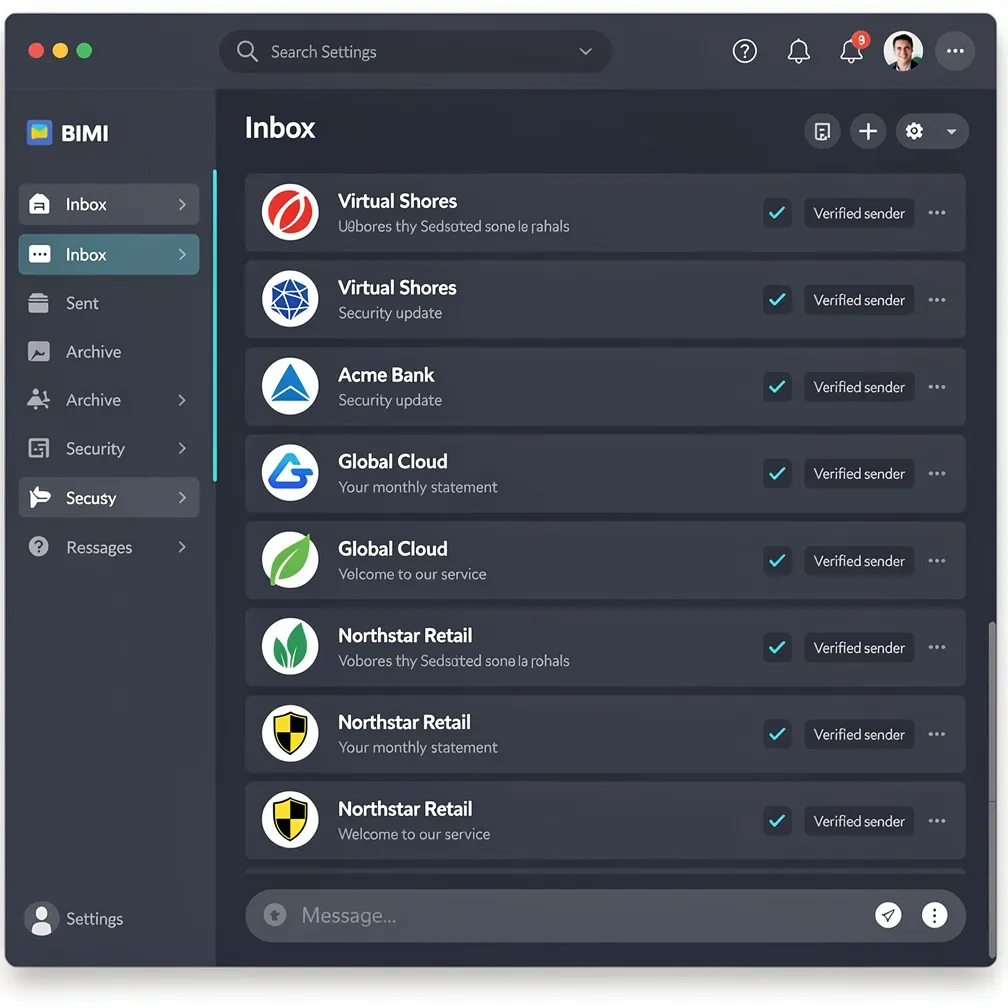
Your emails compete for attention the moment they land in a recipient’s inbox. Subject lines, preheader text, and sender names all play a role — but there’s one visual element that instantly communicates brand legitimacy before a single word is read: your logo.
Brand Indicators for Message Identification (BIMI) is the protocol that makes this possible. It allows authenticated senders to display their official brand logo next to messages in supported email clients, transforming a generic avatar or initial into a recognizable brand mark.
This guide covers everything you need for a successful BIMI implementation — prerequisites, certificate requirements, DNS configuration, logo specifications, and the step-by-step process to get your brand logo email display live.
BIMI is an email specification that ties your domain’s authentication posture to a verified brand logo. When a mailbox provider receives a message that passes DMARC alignment, it checks for a BIMI record in DNS. If one exists and points to a valid logo (and optionally, a Verified Mark Certificate), the provider displays your logo in the recipient’s inbox alongside your message.
The result: your brand becomes visually identifiable at a glance, even before the recipient opens the email. BIMI works as the visual layer on top of your existing email authentication stack — SPF, DKIM, and DMARC must all be in place and passing before BIMI has any effect.
Think of BIMI as the reward for doing email authentication correctly. Organizations that invest in proper domain security and authentication infrastructure earn the right to display their brand mark prominently in supported inboxes.
BIMI requires your domain to have a published DMARC record set to an enforcement policy — either p=quarantine or p=reject. A policy of p=none (monitoring only) does not qualify.
This means before you can implement BIMI, your domain must:
If you’re still at p=none, you’ll need to progress through DMARC enforcement stages first. Jumping straight to p=reject without monitoring can disrupt legitimate email flows. Use your DMARC aggregate reports (RUA) to identify and fix alignment issues before tightening your policy.
A Verified Mark Certificate (VMC) is a digital certificate that validates your organization’s ownership of the logo you want to display. While not all mailbox providers require a VMC, Gmail specifically mandates one for BIMI logo display.
The VMC process typically takes several weeks, as the Certificate Authority must verify your trademark registration and organizational identity. Plan accordingly — this is often the longest step in BIMI implementation.
Cost consideration: VMCs carry an annual fee. For organizations sending high volumes of email where brand recognition directly impacts engagement and trust, the investment pays for itself through improved visibility. Smaller senders should weigh the cost against their sending volume and brand recognition goals.
Some providers accept a Common Mark Certificate (CMC) as an alternative to a VMC. A CMC does not require a registered trademark — it validates domain ownership and logo association instead. However, Gmail currently requires a full VMC, so a CMC limits your BIMI display to non-Gmail providers that support it.
The BIMI record is a TXT record published in your domain’s DNS. It tells mailbox providers where to find your logo file and (optionally) your VMC certificate.
default._bimi.yourdomain.com IN TXT "v=BIMI1; l=https://yourdomain.com/brand/logo.svg; a=https://yourdomain.com/brand/certificate.pem"Breaking this down:
default._bimi.yourdomain.com — The DNS hostname. “default” is the selector (matching your DMARC selector use); _bimi is the required namespace.v=BIMI1 — Version identifier (currently BIMI1)l= — The URL pointing to your SVG logo file (must be served over HTTPS)a= — The URL pointing to your VMC certificate in PEM format (optional if the provider doesn’t require VMC, but required for Gmail)default._bimi.yourdomain.com IN TXT "v=BIMI1; l=https://yourdomain.com/images/bimi-logo.svg; a=;"Note the trailing a=; — this explicitly indicates no VMC is provided. Some validators require this field even when empty.
image/svg+xml)BIMI has strict requirements for the logo file format. Generic SVG files from your design team will almost certainly need modification to meet the specification.
baseProfile="tiny-ps"<title> element with your company name<svg version="1.2" baseProfile="tiny-ps" xmlns="http://www.w3.org/2000/svg" viewBox="0 0 100 100">
<title>Your Company Name</title>
<!-- Logo paths here -->
</svg><script> tags or event handlersUse a BIMI SVG validator tool to check your file before publishing. Several free validators exist online that check compliance with the SVG Tiny PS specification.
BIMI adoption has grown significantly among major mailbox providers. Here’s the current support landscape:
Requires a valid VMC from an authorized Certificate Authority. Full BIMI support with logo display in both mobile and desktop interfaces. Gmail represents the strictest implementation — if you pass Gmail’s requirements, you’ll pass everywhere else.
One of the earliest BIMI adopters. Yahoo does not require a VMC — a properly formatted BIMI record with a valid SVG logo is sufficient for display. This makes Yahoo an ideal testing ground before investing in a VMC.
Apple Mail supports BIMI logo display across iPhone, iPad, and Mac mail clients. Apple’s implementation works with both VMC and non-VMC BIMI records, making it accessible to a broad range of senders.
Fastmail, Pobox, and several other providers have implemented BIMI support. Microsoft Outlook has been exploring BIMI but has not yet rolled out full support — monitor their announcements for updates. The trend is clearly toward broader adoption.
Follow these steps in order for a successful BIMI implementation:
p=quarantine or p=reject. Review your DMARC aggregate reports to ensure high alignment rates across all sending sources.image/svg+xml MIME type.l=) and certificate URL (a=) if you have a VMC.BIMI delivers value across multiple dimensions of your email program:
Your logo appears before the recipient reads a single word. In a crowded inbox, visual brand identifiers cut through noise and create instant recognition. Recipients associate your logo with legitimacy, which builds long-term trust.
Because BIMI requires strict DMARC enforcement, implementing it inherently protects your domain against spoofing and phishing attacks. Your recipients learn to look for your logo — its absence on impersonation attempts becomes a red flag.
Messages with recognizable brand logos stand out in the inbox. While BIMI alone doesn’t guarantee opens, the visual trust signal reduces hesitation and improves the likelihood that recipients engage with your messages rather than scrolling past them.
BIMI adoption, while growing, is still uncommon among most senders. Organizations that implement it now gain a visual advantage over competitors who display generic avatars or initials. As more brands adopt BIMI, not having it will become a conspicuous absence.
The prerequisites for BIMI — full DMARC enforcement, DKIM alignment across all sources, clean sending practices — represent email authentication best practices. Pursuing BIMI forces organizations to clean up their authentication infrastructure, which improves deliverability across the board.
Every email that displays your logo reinforces brand awareness. Over thousands or millions of messages, this consistent visual presence builds familiarity and trust in ways that text-only sender names cannot replicate.
BIMI implementation isn’t instantaneous — it requires a solid authentication foundation, a properly formatted logo, and (for Gmail) a VMC investment. But for organizations that rely on email as a communication channel, the visibility and trust benefits compound over time.
Start by auditing your current DMARC posture. If you’re already at enforcement, you may be closer to BIMI readiness than you think. The path from authenticated sender to visually branded sender is a natural progression — and one your recipients will notice immediately.
For organizations comparing email delivery platforms, consider how each provider supports authentication and BIMI readiness. The right infrastructure makes the difference between a smooth implementation and months of troubleshooting alignment issues.