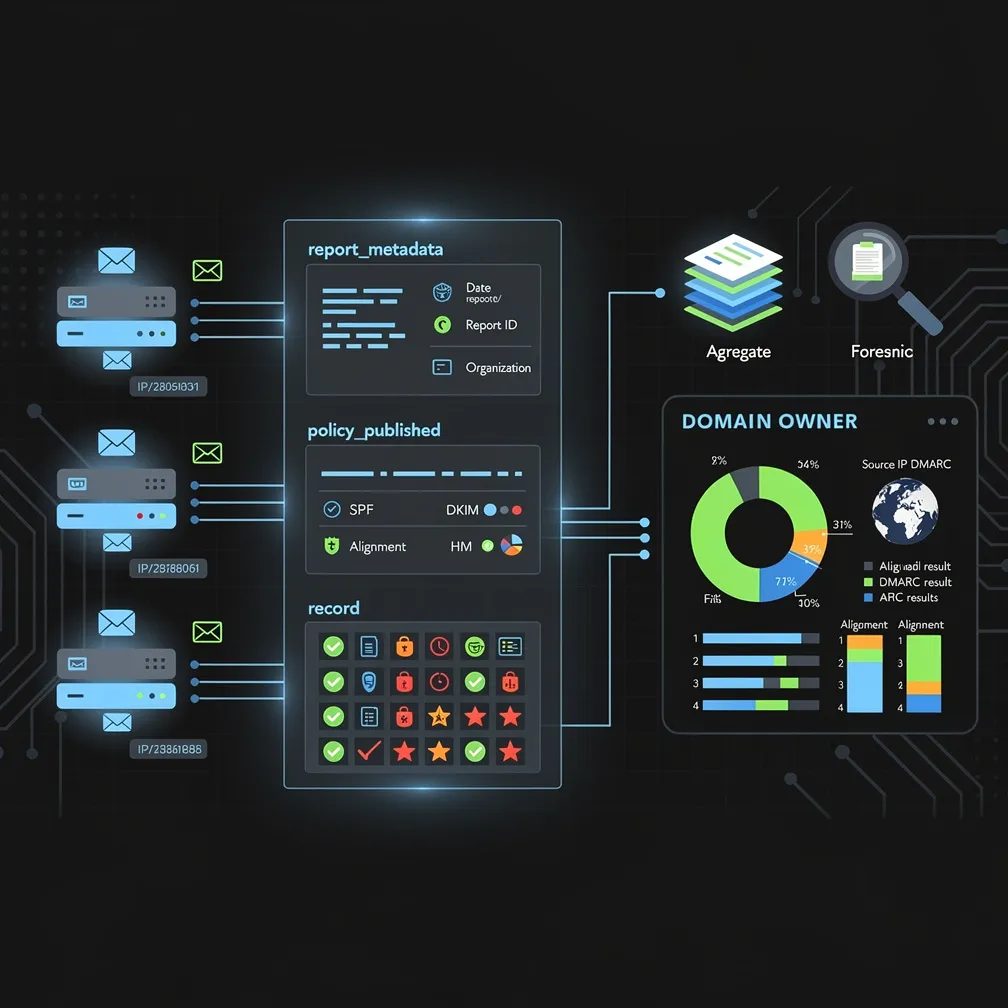
For email administrators and security analysts, DMARC reports represent one of the most valuable yet underutilized sources of intelligence about email authentication and potential security threats. These XML-formatted feedback mechanisms provide visibility into every email sent claiming to be from your domain, yet many organizations struggle to extract actionable insights from the raw data. Understanding how to properly read and interpret DMARC reports is essential for maintaining email deliverability, identifying authentication gaps, and protecting your domain from spoofing attacks.
DMARC reports are XML-formatted feedback messages sent by receiving mail servers back to domain owners who have published DMARC DNS records. These reports are triggered by specific tags in your DMARC policy: the rua= tag for aggregate reports and the ruf= tag for forensic reports. When a receiving server processes an email claiming to be from your domain, it evaluates the message against your published SPF and DKIM records, then sends feedback to the designated reporting addresses.
The primary purpose of DMARC reports is to provide complete visibility into who is sending email on behalf of your domain. This includes legitimate mail servers you’ve authorized, third-party services sending on your behalf, and potentially malicious actors attempting to spoof your domain. Without this visibility, domain owners operate blind to authentication failures and potential security threats that could damage sender reputation or enable phishing attacks targeting customers and partners.
DMARC defines two distinct report types, each serving different analytical purposes. Aggregate reports, specified by the rua= tag, are daily or periodic summaries that provide statistical overviews of email authentication results. These reports show volume counts, SPF and DKIM pass/fail rates broken down by source IP address, and policy application outcomes. Aggregate reports are delivered as compressed XML files (typically gzip format) and represent the primary mechanism for monitoring email authentication at scale.
In contrast, forensic reports (also called failure reports), specified by the ruf= tag, are real-time notifications sent when individual messages fail DMARC authentication. These reports contain detailed information about specific failed messages, including message headers, authentication results, and sometimes portions of the message body. Forensic reports provide granular visibility into authentication failures as they occur.
However, it’s critical to understand that many receiving organizations do not send forensic reports due to privacy concerns. Including full headers and message content in real-time reports raises data protection issues, particularly under regulations like GDPR. As a result, most DMARC analysis relies primarily on aggregate reports, with forensic reports providing supplementary detail when available.
DMARC aggregate reports follow a standardized XML schema that contains several key sections. Understanding this structure is essential for parsing and interpreting the data effectively.
The report_metadata section identifies the reporting organization and the time period covered. This includes the org_name field (the receiving organization sending the report) and date_range elements specifying the begin and end timestamps for the reporting period.
The policy_published section reflects the DMARC policy that was in effect during the reporting period. Key fields include the domain being protected, the policy directive (p= value such as none, quarantine, or reject), the subdomain policy (sp=), and the percentage of messages to which the policy applies (pct).
The core data resides in record elements, which can appear multiple times in a single report. Each record contains a row section with source_ip (the sending server’s IP address), count (number of messages from this source), and policy_evaluated showing the disposition applied (none, quarantine, or reject) along with DKIM and SPF evaluation results.
The identifiers section specifies the header_from domain (what recipients see as the sender) and envelope_from domain (the return-path used in SMTP transactions). The auth_results section provides detailed authentication outcomes, including DKIM domain and result, and SPF domain and result for each authentication mechanism evaluated.
Here’s a simplified XML structure example:
<record>
  <row>
    <source_ip>192.0.2.1</source_ip>
    <count>150</count>
    <policy_evaluated>
      <disposition>none</disposition>
      <dkim>pass</dkim>
      <spf>fail</spf>
    </policy_evaluated>
  </row>
  <identifiers>
    <header_from>example.com</header_from>
  </identifiers>
  <auth_results>
    <dkim>
      <domain>example.com</domain>
      <result>pass</result>
    </dkim>
    <spf>
      <domain>thirdparty.com</domain>
      <result>pass</result>
    </spf>
  </auth_results>
</record>Raw XML data requires interpretation to extract security and operational insights. When analyzing DMARC reports, focus on several critical patterns that indicate authentication issues or potential threats.
High-volume source IPs with authentication failures deserve immediate investigation. If a single IP address shows hundreds or thousands of failed authentication attempts, this could indicate either a misconfigured legitimate sender or an active spoofing campaign.
Legitimate services sending without proper authentication appear as known third-party services (marketing platforms, ticketing systems, CRM tools) that show SPF or DKIM failures. These require configuration updates to authorize these senders properly.
Spoofing attempts from unknown IP addresses typically show as low-volume sources with complete authentication failures and no identifiable reverse DNS or organizational ownership. These represent genuine threats that enforcement policies will block.
Alignment failures occur when SPF or DKIM technically passes but the authenticated domain doesn’t align with the header_from domain. For example, SPF might pass for thirdparty.com while the email claims to be from yourdomain.com. DMARC requires identifier alignment, so these messages fail DMARC even with valid authentication.
Processing raw XML files manually becomes impractical at scale, making specialized tools essential for effective DMARC report analysis. Several categories of solutions exist to help parse and visualize DMARC reports.
Open-source parsers provide basic functionality to convert XML into readable formats, typically outputting CSV files or basic reports. These solutions work well for smaller domains with limited email volume but require technical expertise to deploy and maintain.
SaaS platforms offer comprehensive DMARC management by automatically collecting reports across multiple domains, parsing the XML data, and presenting results through web-based dashboards. These platforms eliminate the technical overhead of processing reports manually.
When evaluating DMARC reporting tools, prioritize features that support effective analysis: visualization capabilities that present authentication trends graphically, alerting mechanisms that notify you of new sending sources or sudden authentication failures, trend analysis to identify patterns over time, and source identification features that help determine the organizational owner of IP addresses through reverse DNS and threat intelligence integration.
DMARC reports reveal specific authentication configuration problems that require remediation. Understanding common patterns helps prioritize fixes.
DMARC reports enable a structured feedback loop for progressively strengthening email authentication and domain protection. This process requires patience and systematic analysis to avoid disrupting legitimate email delivery.
Begin by publishing a DMARC record with p=none to collect data without impacting mail flow. This monitoring mode allows you to identify all legitimate sending sources without risk of blocking valid messages. Collect reports for at least two weeks to capture periodic senders like monthly newsletters or billing systems.
Next, systematically identify all legitimate senders appearing in reports and verify their authentication configuration. Work with third-party service providers to ensure they properly implement SPF and DKIM with correct domain alignment. Update your SPF record to include any authorized senders missing from your policy.
Once all legitimate senders show consistent authentication success, gradually increase enforcement. Move to p=quarantine to flag suspicious messages, then ultimately to p=reject for maximum protection. For detailed guidance on this progression, refer to our DMARC policy configuration technical guide.
Even after reaching enforcement, continue monitoring reports for new senders or configuration drift. Authentication infrastructure changes over time as you adopt new services, migrate mail servers, or third-party providers modify their sending infrastructure. Ongoing report analysis ensures you detect and resolve issues before they impact deliverability.
At Email Delivery Pro, we understand that DMARC report analysis represents a critical but often overwhelming aspect of email security management. By mastering the interpretation of both DMARC aggregate reports and forensic reports, you gain the visibility needed to protect your domain, maintain sender reputation, and ensure legitimate email reaches its intended recipients. The investment in proper DMARC monitoring pays dividends through improved deliverability, enhanced security posture, and protection against brand impersonation attacks.