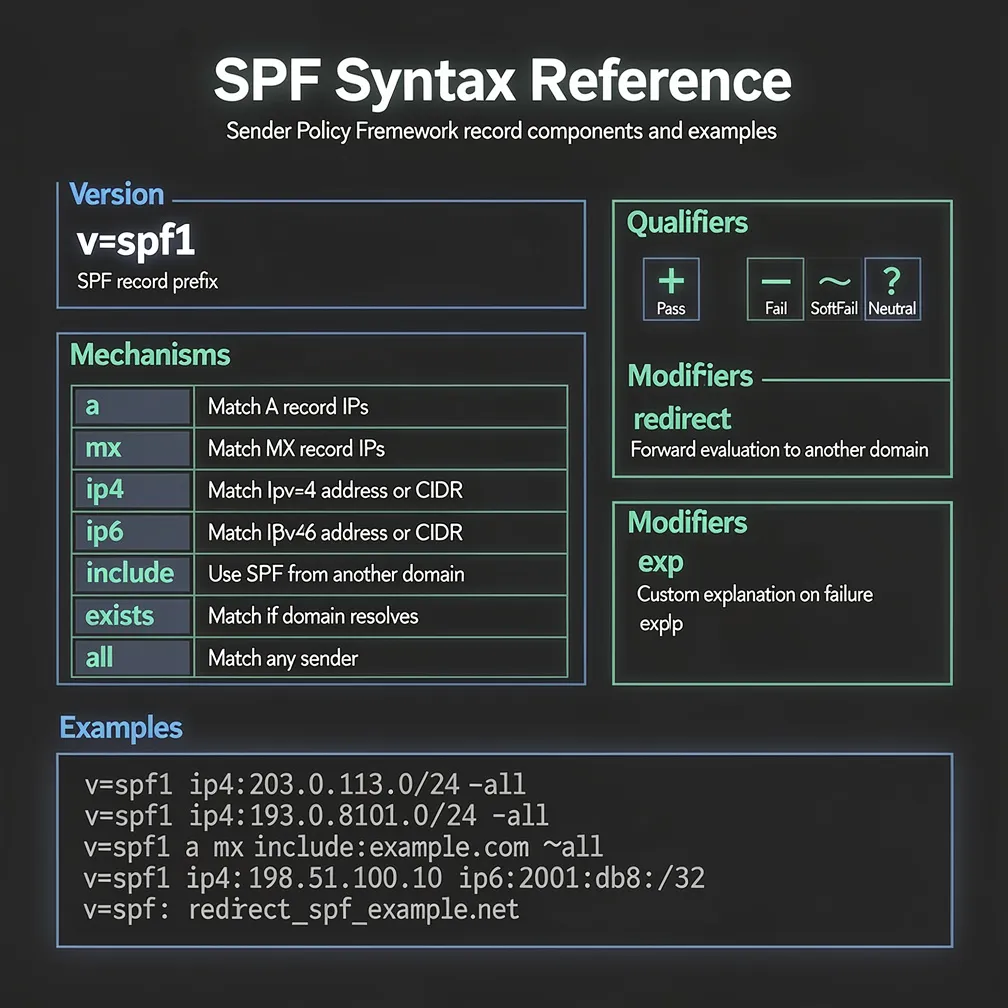
Sender Policy Framework (SPF) remains a critical authentication mechanism for email delivery infrastructure. As an email administrator or DNS manager, understanding the precise syntax and structure of SPF records determines whether your legitimate mail reaches recipients or gets rejected. This comprehensive reference guide covers every aspect of SPF syntax, from basic record format to advanced implementation strategies.
SPF records are published as DNS TXT records at the root of your domain. Every valid SPF record syntax must begin with the version identifier v=spf1, followed by a space-separated list of mechanisms and optional modifiers.
The basic structure follows this pattern:
v=spf1 [mechanisms] [modifiers] [all]Receiving mail servers parse SPF records from left to right, evaluating each mechanism sequentially until finding a match. This left-to-right processing order is critical for record design—place your most commonly used mechanisms first for optimal performance. Once a mechanism matches the sending IP address, evaluation stops and the associated qualifier determines the authentication result.
The v=spf1 prefix is mandatory and case-sensitive. Any record without this exact prefix will be ignored by receiving servers. Only one SPF record should exist per domain; multiple SPF records create ambiguity and typically result in authentication failures.
SPF mechanisms define which hosts are authorized to send email for your domain. Each mechanism type serves a specific purpose in your authentication policy.
The ‘a’ mechanism authorizes the IP addresses found in the A and AAAA records of the specified domain. If no domain is specified, it uses the current domain.
a
a:mail.example.com
a:example.com/24
The ‘mx’ mechanism authorizes the IP addresses of all MX record hosts for the specified domain. This is useful when your mail servers also send outbound email.
mx
mx:example.com
mx:mail.example.com/26
The ‘ip4’ mechanism explicitly authorizes an IPv4 address or CIDR range. This mechanism does not trigger DNS lookups, making it the most efficient option.
ip4:192.168.1.1
ip4:192.168.1.0/24
ip4:203.0.113.0/25
The ‘ip6’ mechanism authorizes IPv6 addresses or ranges using the same syntax as ip4.
ip6:2001:db8::1
ip6:2001:db8::/32
ip6:2001:4860:4000::/36
The ‘include’ mechanism references another domain’s SPF record, incorporating its authorized senders into your policy. This is essential for authorizing third-party email services.
include:_spf.google.com
include:servers.mcsv.net
include:spf.protection.outlook.com
The ‘exists’ mechanism performs an advanced DNS lookup to check if an A record exists for the constructed domain. This mechanism is rarely used but powerful for dynamic authorization schemes.
exists:%{i}._spf.example.com
exists:%{ir}.%{l1r+-}._spf.example.com
The ‘all’ mechanism serves as a catch-all that matches any IP address not matched by previous mechanisms. This should always be the final mechanism in your record.
-all
~allQualifiers prefix SPF mechanisms to specify what action receiving servers should take when a mechanism matches. Understanding qualifiers is essential for implementing appropriate authentication policies.
+ (Pass) indicates the IP is explicitly authorized to send email. This is the default qualifier when none is specified, so mx and +mx are functionally identical.
– (Fail or Hard Fail) indicates the IP is explicitly not authorized. Receiving servers should reject messages from this source. Use -all at the end of your record to reject all unauthorized senders.
~ (SoftFail) indicates the IP is probably not authorized, but the receiving server should accept the message and mark it as suspicious. Use ~all during testing phases or when you want lenient enforcement.
? (Neutral) indicates no assertion is made about authorization. This qualifier is rarely used in production environments as it provides no authentication value.
Examples of qualified mechanisms:
+mx:example.com
-ip4:192.0.2.0/24
~include:partner.example.com
?all
For production environments, use -all for strict enforcement or ~all if you need flexibility for edge cases. Avoid +all entirely, as it authorizes any server to send on your behalf.
Modifiers differ from mechanisms in that they don’t match IP addresses but instead alter SPF record behavior. Unlike mechanisms, modifiers can appear anywhere in the record, though convention places them at the end.
The ‘redirect’ modifier delegates SPF authority to another domain’s record entirely. When redirect is used, the current record’s mechanisms are ignored, and evaluation continues with the specified domain’s SPF record.
v=spf1 redirect=_spf.example.comUse redirect when you want to centralize SPF management across multiple domains or when a domain doesn’t send email but shares infrastructure with another domain.
The ‘exp’ modifier specifies a domain that provides a TXT record containing a custom explanation when SPF fails. This helps administrators understand why their email was rejected.
v=spf1 mx -all exp=explain._spf.example.comThe exp modifier is rarely implemented in practice, as most administrators rely on standard SPF failure messages.
Understanding complete SPF records in context helps solidify syntax concepts. Here are real-world examples:
Basic single mail server:
v=spf1 mx ip4:203.0.113.10 -allThis authorizes the domain’s MX servers and one specific IPv4 address, rejecting all others.
Complex record with multiple third-party senders:
v=spf1 mx ip4:203.0.113.0/25 include:_spf.google.com include:servers.mcsv.net include:spf.protection.outlook.com -allThis authorizes internal mail servers plus Google Workspace, Mailchimp, and Microsoft 365.
Record using redirect modifier:
v=spf1 redirect=_spf.primary-domain.comThis delegates all SPF authority to another domain, useful for domain aliases or centralized management.
Minimal record blocking all email:
v=spf1 -allThis explicitly states the domain sends no email, rejecting all sending attempts. Use this for domains that only receive email.
SPF implementation includes critical technical limits that administrators must respect to maintain functional records.
The 10 DNS lookup limit is the most significant constraint. Receiving servers will perform a maximum of 10 DNS lookups when evaluating your SPF record. The following mechanisms count toward this limit: include, a, mx, exists, and redirect. The ip4, ip6, and all mechanisms do not trigger lookups.
Each include mechanism counts as one lookup, plus any additional lookups required by the included record. Exceeding this limit causes SPF evaluation to fail with a PermError result.
The void lookup limit restricts you to a maximum of 2 lookups that return no results (NXDOMAIN). Exceeding this also triggers PermError.
The 255 character string limit applies to individual strings within the TXT record. While DNS supports multiple strings concatenated together, some implementations handle this poorly. Keep individual strings under 255 characters and the total record under 512 characters for maximum compatibility.
Implementing SPF correctly requires following established best practices that ensure both security and deliverability.
-all for production environments to reject unauthorized senders, or ~all during initial deployment for soft enforcement.ip4 and ip6 mechanisms wherever possible instead of a or mx. This reduces lookup count and improves evaluation speed.ptr mechanism is deprecated, unreliable, and should never be used in modern SPF records.Mastering SPF syntax is fundamental to maintaining secure and reliable email infrastructure. By understanding the precise mechanics of mechanisms, qualifiers, and modifiers, you can construct SPF records that authenticate legitimate email while protecting your domain from spoofing and abuse. Regular audits of your SPF configuration, combined with DMARC monitoring, ensure your authentication policies remain effective as your email infrastructure evolves. At Email Delivery Pro, we recommend treating SPF as a living configuration that requires ongoing attention rather than a one-time setup task.