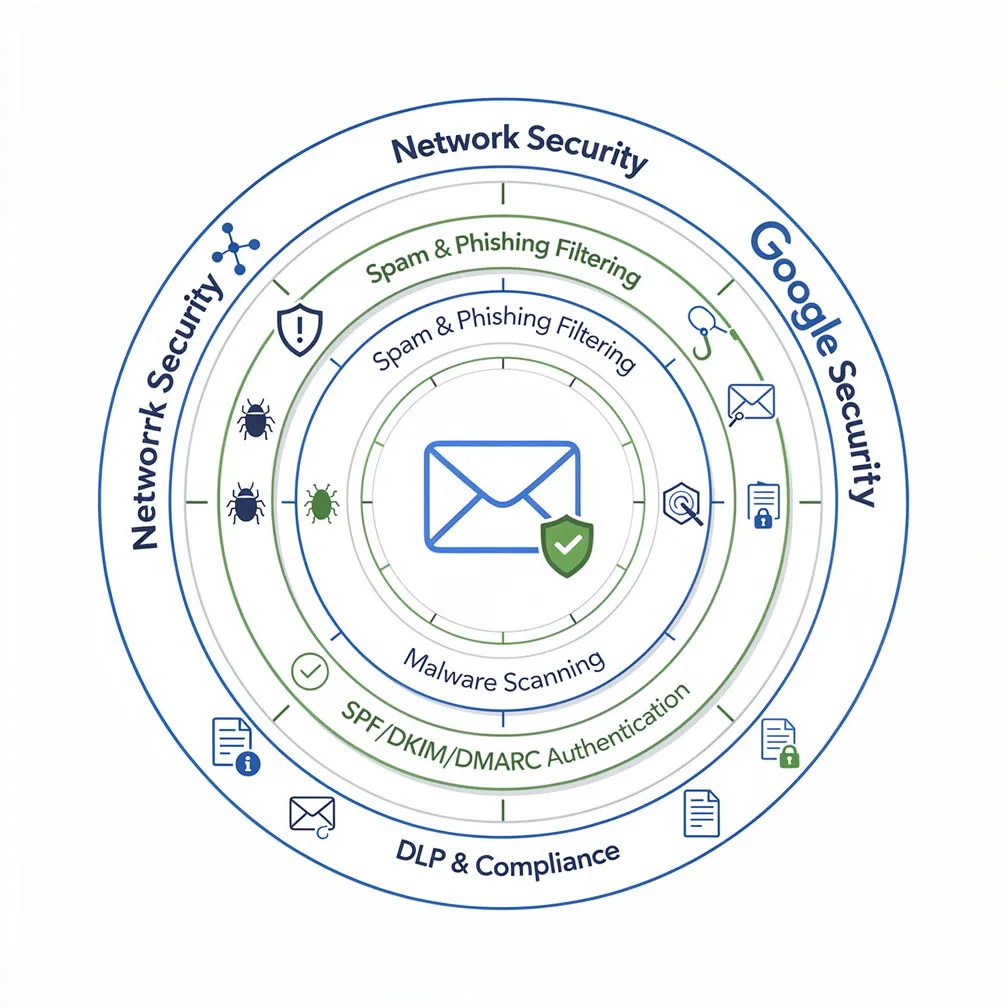
Email remains the primary attack vector for cybercriminals targeting organizations, with phishing, malware, and business email compromise attacks growing increasingly sophisticated. For the millions of organizations using Google’s productivity suite, understanding google workspace email security isn’t optional—it’s a critical component of your organization’s cybersecurity posture. While Google provides robust security infrastructure, administrators must actively configure and manage numerous settings to maximize protection. This guide walks through everything Google Workspace administrators need to know to secure their email environment.
Google Workspace email security operates on a shared responsibility model. Google handles infrastructure security, physical data center protection, and baseline threat detection, but administrators must configure organizational policies, authentication protocols, and user access controls. This division means that even with Google’s advanced security capabilities, misconfigured settings can leave your organization vulnerable.
The stakes are high: a single successful phishing attack can compromise sensitive data, lead to financial losses, or damage your organization’s reputation. For IT managers and Google Workspace administrators, understanding both Google’s native security features and your configuration responsibilities is essential for maintaining a secure email environment.
Gmail for business security includes several powerful protections that work automatically to defend against threats:
While these baseline protections are robust, administrators must configure additional settings to achieve comprehensive security. Default settings prioritize usability, so tightening security controls requires deliberate action.
Email authentication protocols are fundamental to g suite email security. These DNS-based mechanisms prevent domain spoofing and improve deliverability.
SPF (Sender Policy Framework) specifies which mail servers can send email on behalf of your domain. Add this TXT record to your DNS:
v=spf1 include:_spf.google.com ~all
If you use other email services, include them before the ~all mechanism. The ~all indicates a soft fail for unauthorized servers, while -all enforces a hard fail.
DKIM (DomainKeys Identified Mail) adds a digital signature to outgoing emails. Configure DKIM through the Admin Console:
The DKIM DNS record will look similar to:
google._domainkey.yourdomain.com TXT v=DKIM1; k=rsa; p=MIIBIjANBgkqhkiG9w0BAQEFAAOCAQ8AMIIBCgKCAQEA...
DMARC (Domain-based Message Authentication, Reporting and Conformance) tells receiving servers how to handle emails that fail SPF or DKIM checks. Start with a monitoring policy:
_dmarc.yourdomain.com TXT v=DMARC1; p=none; rua=mailto:[email protected]; pct=100; adkim=s; aspf=s
After monitoring reports and confirming legitimate email passes authentication, progress to enforcement:
_dmarc.yourdomain.com TXT v=DMARC1; p=reject; rua=mailto:[email protected]; pct=100; adkim=s; aspf=s
For detailed guidance on DMARC implementation strategies, see our DMARC policy configuration technical guide.
Google Workspace provides granular security controls that administrators should configure based on organizational risk tolerance:
Access these settings through Admin Console > Apps > Google Workspace > Gmail > Safety. Configure organizational units separately to apply stricter policies to high-risk departments like finance or executive leadership.
While Google’s native security is comprehensive, many organizations require supplemental protection:
API-based email security solutions available through Google Marketplace provide additional layers of threat detection, advanced phishing protection, and automated incident response. These solutions integrate via API without disrupting mail flow.
SIEM integration through Google Workspace audit logs enables centralized security monitoring. Export logs to platforms like Splunk, LogRhythm, or Azure Sentinel for correlation with other security events.
Data Loss Prevention (DLP) solutions extend Google’s native content compliance with advanced pattern matching, contextual analysis, and integration with enterprise DLP policies.
Email archiving solutions provide immutable storage for compliance requirements, supporting legal discovery and regulatory obligations beyond Google Vault’s capabilities.
Organizations should consider third-party solutions when they have specific compliance requirements, need advanced threat intelligence integration, require specialized industry protections, or want additional layers of defense for high-value targets.
Configuration alone isn’t sufficient—administrators must implement operational security practices:
Google Workspace supports various compliance frameworks, but administrators must understand their responsibilities:
HIPAA compliance requires signing a Business Associate Agreement (BAA) with Google and configuring appropriate access controls and audit logging.
SOC 2/3 and ISO 27001 certifications demonstrate Google’s security controls, but organizations must implement their own policies aligned with these frameworks.
Data residency requirements can be addressed through Google’s data regions feature, allowing administrators to specify geographic storage locations.
Administrators must configure retention policies through Google Vault to meet regulatory requirements and implement legal holds to preserve data during litigation or investigations.
Securing Google Workspace email requires a comprehensive approach combining Google’s powerful built-in protections with deliberate administrator configuration and ongoing management. By implementing proper email authentication, configuring advanced security settings, following operational best practices, and addressing compliance requirements, administrators can significantly reduce their organization’s email security risk.
At Email Delivery Pro, we help organizations optimize their email security posture with expert guidance on authentication protocols, deliverability optimization, and security best practices. Don’t leave your organization’s email security to chance—implement these configurations today to protect against evolving threats.