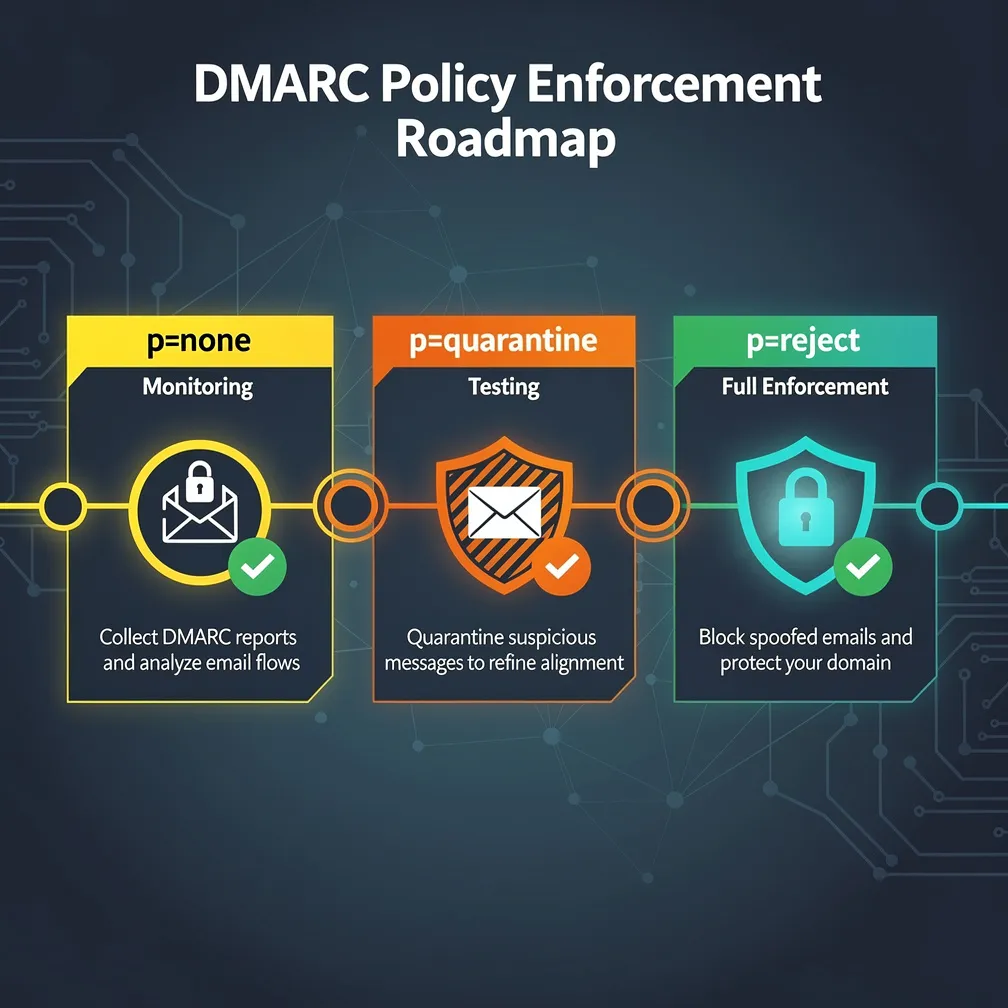
Publishing a DMARC record with p=none is the easy part. The real challenge — and the real security value — comes from enforcing that policy all the way to p=reject. Yet most organizations stall at the monitoring phase indefinitely, leaving their domains vulnerable to spoofing attacks while collecting aggregate reports they never fully act on.
This guide provides a systematic, phased approach to DMARC policy enforcement that protects legitimate email flows while progressively eliminating unauthorized use of your domain. If you’re an email administrator responsible for moving your organization from monitoring to full enforcement, this is your operational playbook.
DMARC operates on three policy levels, each representing a different instruction to receiving mail servers about how to handle messages that fail authentication:
p=none — Monitor only. Receiving servers deliver all messages regardless of authentication results, but send aggregate reports to the domain owner. No protective action is taken.p=quarantine — Suspicious messages that fail DMARC are routed to spam/junk folders rather than the inbox. This provides partial protection while allowing review of quarantined messages.p=reject — Full enforcement. Messages failing DMARC are rejected outright at the SMTP level. The receiving server refuses delivery entirely. This is the only policy that truly prevents domain spoofing.The critical insight: p=none provides zero protection against spoofing. It only gives you visibility. Your domain remains fully exploitable by attackers until you reach p=reject.
Before you can enforce, you must achieve complete visibility into who is sending email using your domain. This is the foundation of DMARC implementation.
Start with a comprehensive monitoring record:
_dmarc.yourdomain.com TXT "v=DMARC1; p=none; rua=mailto:[email protected]; ruf=mailto:[email protected]; fo=1; ri=86400"Key parameters explained:
rua — Aggregate report destination. These XML reports summarize authentication results across all messages.ruf — Forensic report destination. These provide per-message failure details (note: many receivers don’t send these due to privacy concerns).fo=1 — Generate forensic reports if either SPF or DKIM fails (not just both). This gives maximum visibility during monitoring.ri=86400 — Request daily aggregate reports (86,400 seconds = 24 hours).During the monitoring period, you’re building a complete inventory of legitimate senders. Every aggregate report should be analyzed for:
Minimum monitoring duration: Four weeks at minimum, but complex organizations with many third-party senders should monitor for 8–12 weeks to capture infrequent senders (quarterly newsletters, annual billing systems, seasonal campaigns).
Once you have a complete sender inventory, the work begins: ensuring every legitimate sender passes DMARC authentication through proper SPF and DKIM alignment.
SPF alignment requires that the domain in the Return-Path (envelope sender) matches the domain in the From header. Common fixes include:
bounces.yourdomain.com) that aligns with your From address.DKIM alignment requires that the d= domain in the DKIM signature matches the From header domain. This is generally the more reliable alignment mechanism because DKIM survives forwarding (unlike SPF). Key actions:
d= domain matches your organizational domain.Third-party senders are the primary reason DMARC enforcement stalls. Here’s a systematic approach:
| Sender Type | SPF Fix | DKIM Fix | Priority |
|---|---|---|---|
| Marketing automation (Mailchimp, HubSpot, Marketo) | Add include mechanism | Configure custom DKIM signing domain | High — high volume |
| Transactional email (SendGrid, Postmark, SES) | Add include mechanism | Configure custom DKIM signing domain | Critical — user-facing |
| CRM (Salesforce, HubSpot) | Add include mechanism | Enable DKIM with custom domain | High — sales-critical |
| Helpdesk (Zendesk, Freshdesk) | Add include mechanism | Configure custom DKIM domain | High — customer-facing |
| HR/Payroll systems | Add include mechanism | Configure if supported | Medium — internal |
| Legacy on-premise systems | Add IP addresses | Implement DKIM signing proxy | Medium — often low volume |
For senders that cannot support DKIM alignment: Ensure SPF alignment is perfect as the fallback. If neither alignment is achievable, consider migrating to a platform that supports proper authentication or routing those messages through a compliant relay.
Once your aggregate reports show 95%+ legitimate traffic passing DMARC, you’re ready to begin enforcement. The pct tag is your safety valve during this transition.
Use the pct parameter to apply quarantine to a percentage of failing messages:
Week 12: v=DMARC1; p=quarantine; pct=10; rua=mailto:[email protected]
Week 14: v=DMARC1; p=quarantine; pct=25; rua=mailto:[email protected]
Week 16: v=DMARC1; p=quarantine; pct=50; rua=mailto:[email protected]
Week 18: v=DMARC1; p=quarantine; pct=75; rua=mailto:[email protected]
Week 20: v=DMARC1; p=quarantine; pct=100; rua=mailto:[email protected]At each percentage increase, watch for:
If you discover a new legitimate sender, pause the rollout, fix authentication for that sender, verify it passes in reports, then resume. Never rush past a problem — each one fixed now prevents delivery failures at p=reject.
After running at p=quarantine; pct=100 for at least two weeks with no legitimate delivery issues, you’re ready for the final step.
Week 20: v=DMARC1; p=reject; pct=10; rua=mailto:[email protected]
Week 22: v=DMARC1; p=reject; pct=25; rua=mailto:[email protected]
Week 24: v=DMARC1; p=reject; pct=50; rua=mailto:[email protected]
Week 26: v=DMARC1; p=reject; pct=75; rua=mailto:[email protected]
Week 28: v=DMARC1; p=reject; pct=100; rua=mailto:[email protected]
At p=reject; pct=100, your domain is fully protected. Receiving servers will refuse delivery of any message that fails DMARC authentication, effectively eliminating domain spoofing.
The operational difference is significant:
This is why the graduated approach matters. By the time you reach p=reject, you’ve already validated at quarantine that no legitimate mail is being affected.
The most dangerous mistake. Organizations that skip monitoring and quarantine phases inevitably block legitimate email, causing business disruption and rapid rollback. The result is usually permanent stalling at p=none due to organizational fear.
DMARC’s sp= tag controls subdomain policy separately. If you set p=reject for your organizational domain but neglect subdomains, attackers simply spoof anything.yourdomain.com. Always set sp=reject alongside your organizational policy, or publish individual DMARC records for active subdomains.
As you add third-party senders, your SPF record grows. Exceeding 10 DNS lookups causes a PermError, which many receivers treat as an SPF fail. Monitor your lookup count and flatten your record when approaching the limit.
Traditional email forwarding breaks SPF because the forwarding server’s IP isn’t in your SPF record, and the envelope sender may change. Ensure your critical senders use DKIM signing (which survives forwarding) as their primary alignment mechanism. Consider implementing ARC (Authenticated Received Chain) headers for forwarding scenarios.
DMARC enforcement isn’t set-and-forget. New SaaS tools get adopted, marketing teams onboard new platforms, infrastructure changes occur. Maintain continuous aggregate report monitoring and build a process for reviewing new tools before they send as your domain.
While many receivers limit forensic reports, those that do send them provide invaluable per-message context during enforcement. Keep ruf active even at p=reject to detect ongoing spoofing attempts and verify your enforcement is working.
Reaching p=reject is a milestone, not a finish line. Ongoing maintenance includes:
sp=reject and audit active subdomains quarterly| Phase | Duration | DMARC Record | Action |
|---|---|---|---|
| 1. Monitor | Weeks 1–4 | p=none; fo=1 |
Collect reports, inventory all senders |
| 2. Fix Alignment | Weeks 4–12 | p=none |
Configure SPF/DKIM for all legitimate senders |
| 3. Quarantine (gradual) | Weeks 12–20 | p=quarantine; pct=10→100 |
Staged quarantine with monitoring |
| 4. Reject (gradual) | Weeks 20–28 | p=reject; pct=10→100 |
Staged reject with monitoring |
| 5. Maintain | Ongoing | p=reject; pct=100 |
Continuous monitoring, vendor onboarding |
Total timeline to full enforcement: 24–28 weeks (6–7 months) for a typical mid-size organization. Enterprises with complex sending infrastructure may require 9–12 months. Smaller organizations with fewer third-party senders can often achieve enforcement in 12–16 weeks.
Beyond security, full DMARC enforcement delivers measurable operational benefits:
p=quarantine or p=reject, enabling your logo to display in supporting email clientsThe path from p=none to p=reject demands patience, systematic execution, and ongoing commitment. Resist the temptation to rush — every week spent in monitoring and quarantine is an investment in the reliability of your enforcement. But equally, resist the temptation to stall indefinitely at p=none. Every day your domain lacks enforcement is a day attackers can freely impersonate your organization.
Start the journey today. Your domain’s reputation — and your recipients’ security — depends on it.