Email remains the backbone of business communication, but getting your messages into inboxes has never been more challenging. As we navigate 2026’s increasingly sophisticated threat landscape, email service providers have tightened their filtering mechanisms to combat phishing, spoofing, and spam. For IT administrators and email marketers, understanding email delivery best practices isn’t optional—it’s essential for maintaining communication channels with customers, partners, and stakeholders.
The consequences of poor email deliverability extend beyond missed opportunities. Damaged sender reputation, blacklisting, and reduced ROI on email campaigns can cripple your communication strategy. This comprehensive guide will walk you through the critical components of modern email infrastructure management, from authentication protocols to monitoring deliverability metrics that matter.
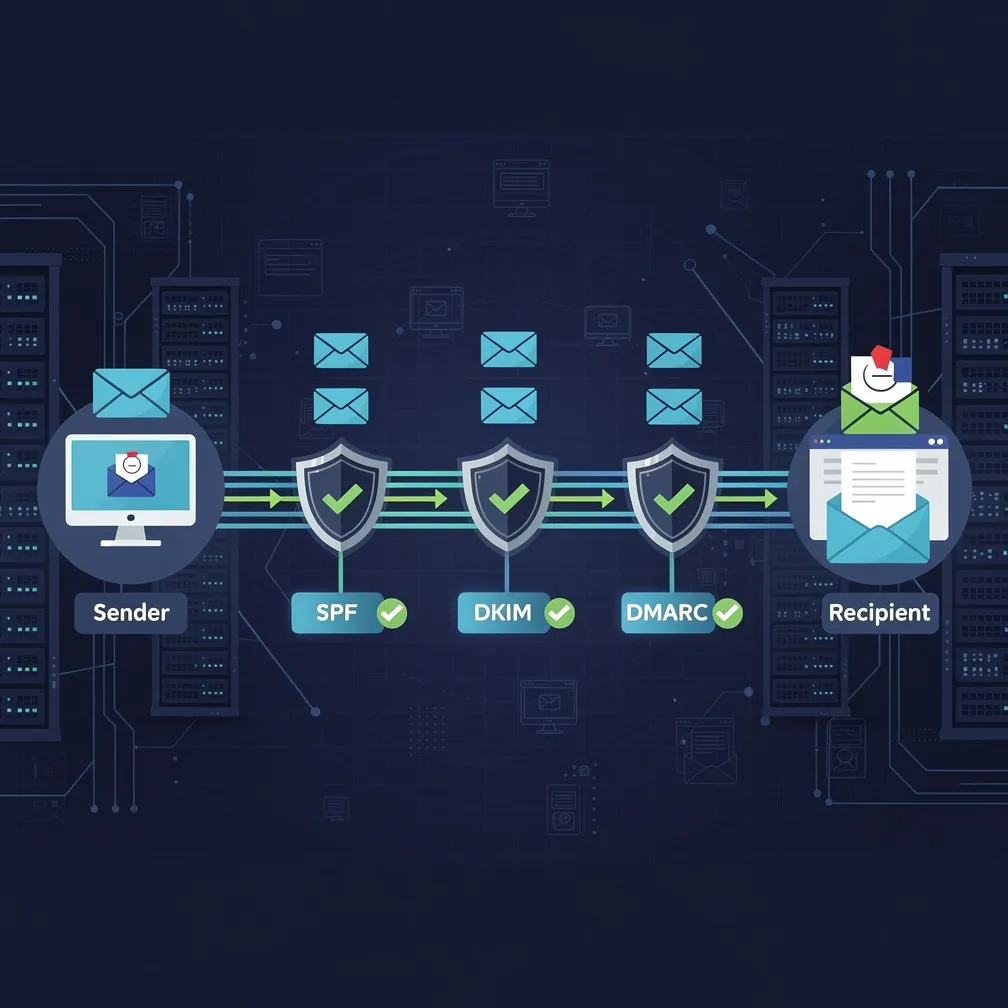
Email authentication forms the foundation of any strategy to improve email deliverability. Three protocols work together to verify your identity and protect your domain from unauthorized use.
SPF (Sender Policy Framework) specifies which mail servers are authorized to send email on behalf of your domain. Implementation requires adding a TXT record to your DNS that lists approved IP addresses and mail servers. Keep your SPF record concise—excessive DNS lookups can cause authentication failures. A typical SPF record might look like: v=spf1 ip4:192.0.2.0/24 include:_spf.emaildeliverypro.com ~all
DKIM (DomainKeys Identified Mail) adds a digital signature to your email headers, allowing receiving servers to verify that messages haven’t been altered in transit. Generate public and private key pairs, publish the public key in your DNS, and configure your mail server to sign outgoing messages with the private key. Rotate DKIM keys annually to maintain security hygiene.
DMARC (Domain-based Message Authentication, Reporting and Conformance) builds upon SPF and DKIM by telling receiving servers what to do when authentication fails. Start with a monitoring policy (p=none) to collect data without affecting delivery, then gradually move to quarantine or reject policies as you verify legitimate mail flows. DMARC also provides valuable reporting on authentication failures and potential spoofing attempts.
Implementation tip: Deploy all three protocols together. Major email providers now require proper email authentication, and incomplete implementation signals poor infrastructure management to spam filters.
Launching email campaigns from new IP addresses without proper preparation is a common deliverability mistake. IP warming establishes sender reputation gradually through controlled volume increases.
Begin by sending to your most engaged subscribers—those who consistently open and interact with your emails. Start with small volumes (hundreds, not thousands) and monitor delivery metrics closely. Double your sending volume every few days if deliverability metrics remain healthy. A typical IP warming schedule spans 4-6 weeks, though timelines vary based on your sending volume and infrastructure.
For organizations managing multiple IP addresses, consider segmenting by mail stream. Separate transactional emails from marketing campaigns, as they exhibit different engagement patterns. Dedicated IPs for high-volume senders provide better reputation control, while shared IPs may suffice for lower-volume operations.
Monitor feedback carefully during warming. Sudden spikes in bounce rates or spam complaints indicate you’re scaling too quickly. Slow down, investigate issues, and resume gradual increases only after resolving problems.
Maintaining clean email lists is fundamental to email delivery best practices. Poor list hygiene damages sender reputation and wastes resources on undeliverable addresses.
Implement double opt-in for new subscribers to verify email addresses at collection. This simple step eliminates typos and fake addresses before they impact your deliverability metrics.
Distinguish between hard bounces (permanent delivery failures due to invalid addresses) and soft bounces (temporary issues like full mailboxes). Remove hard bounces immediately—continuing to mail invalid addresses signals poor list management to ISPs. For soft bounces, implement a retry strategy with exponential backoff, removing addresses after multiple consecutive failures.
Regular list cleaning should include removing subscribers who haven’t engaged in 6-12 months. Unengaged recipients hurt your sender reputation even if they don’t complain. Consider re-engagement campaigns before removal, but don’t hesitate to prune truly inactive subscribers.
Monitor for spam traps—recycled email addresses that ISPs use to identify senders with poor list hygiene. Sudden deliverability drops without obvious cause often indicate spam trap hits, requiring immediate list cleaning and source verification.
Even with perfect authentication and infrastructure, poor content triggers spam filters. Modern filtering algorithms analyze multiple content elements simultaneously.
Subject lines should be clear and relevant, avoiding excessive punctuation, ALL CAPS, and spam trigger words. Personalization improves engagement but avoid obviously fake personalization that screams bulk mail.
Maintain healthy text-to-image ratios. Image-only emails raise red flags, as spammers use images to evade text-based filters. Include meaningful text content and always use alt text for images.
Link practices matter significantly. Avoid URL shorteners in marketing emails—they’re frequently associated with phishing. Ensure all links use HTTPS and point to domains matching your sender domain when possible. Excessive links or links to known bad domains will trigger filtering.
HTML code quality affects deliverability. Clean, standards-compliant code renders properly across email clients and avoids filter triggers. Test emails across multiple clients before sending to large lists.
You cannot improve email deliverability without measuring it. Track these essential deliverability metrics consistently:
Implement seed lists—email addresses you control across major ISPs—to monitor inbox placement directly. Commercial deliverability monitoring tools provide detailed insights but require investment.
Review metrics daily during IP warming and weekly for established sending patterns. Set up alerts for sudden metric changes that require immediate investigation.
Feedback loops (FBLs) allow ISPs to notify you when recipients mark your emails as spam. Subscribing to ISP feedback loops and processing complaints promptly is critical for reputation management.
Major ISPs including Microsoft, AOL, and Yahoo offer FBLs. Registration processes vary by provider but typically require demonstrating domain ownership and maintaining compliant email practices. Some ISPs restrict FBL access to certain IP ranges or authentication requirements.
When processing FBL complaints, immediately suppress the complaining address from future mailings. Continuing to mail addresses that complained demonstrates disregard for recipient preferences and accelerates reputation damage.
Analyze complaint patterns for insights. Sudden complaint spikes may indicate content issues, list quality problems, or sending frequency concerns. Segment analysis often reveals specific campaigns or list sources generating complaints.
Remember that FBLs only report a fraction of actual spam complaints. Many users simply delete unwanted email or abandon addresses, making list hygiene and engagement monitoring equally important.
Mastering email delivery best practices in 2026 requires ongoing attention to authentication, infrastructure, content, and metrics. Start by implementing SPF, DKIM, and DMARC authentication—this foundation is non-negotiable. Follow proper IP warming procedures when launching new infrastructure, maintain rigorous list hygiene, optimize content for both humans and filters, monitor deliverability metrics consistently, and process feedback loop complaints promptly.
Email deliverability isn’t a one-time project but an ongoing operational discipline. Regular audits, continuous monitoring, and rapid response to deliverability issues separate successful email programs from those struggling to reach inboxes.
At Email Delivery Pro, we help organizations implement these best practices through expert consulting, managed services, and deliverability monitoring tools. Whether you’re launching new email infrastructure or troubleshooting existing deliverability challenges, proper implementation of these practices will ensure your messages reach their intended recipients.