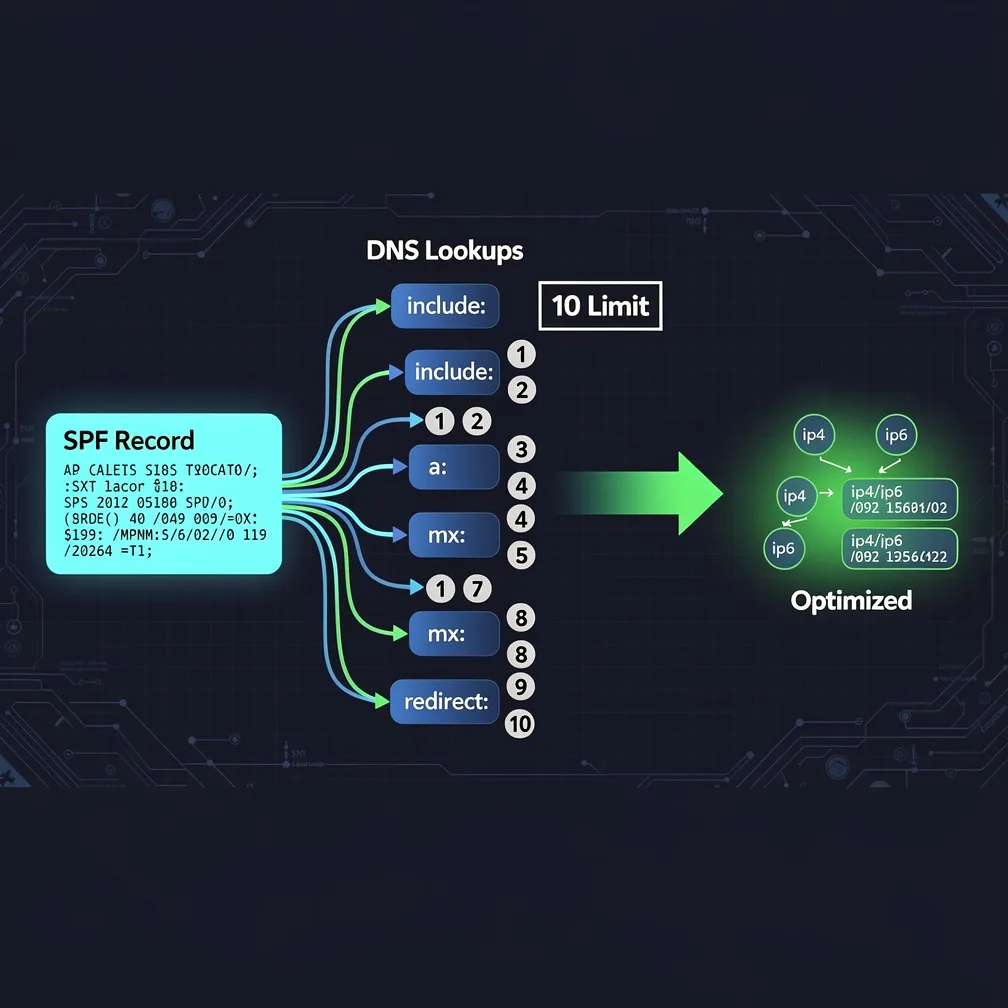
Email administrators frequently encounter a frustrating roadblock when configuring SPF records: the dreaded “SPF too many DNS lookups” error. This permerror result can silently undermine your email deliverability, causing legitimate messages to fail authentication and potentially land in spam folders or face outright rejection. Understanding and resolving the spf 10 lookup limit is critical for maintaining robust email authentication and protecting your domain’s sender reputation.
The SPF 10 DNS lookup limit is a strict specification defined in RFC 7208 Section 4.6.4, which governs how Sender Policy Framework records are evaluated. This specification mandates that SPF record evaluation must not exceed 10 DNS lookups during the authentication process. When a receiving mail server validates your SPF record, it counts each DNS query required to fully resolve all authorization mechanisms.
It’s crucial to understand that this limit applies specifically to DNS-querying mechanisms, not all SPF mechanisms. The limit exists to prevent excessive DNS queries during a single SPF evaluation cycle. Only mechanisms that require additional DNS lookups count toward this threshold—mechanisms that reference external records or require resolution beyond the initial SPF record retrieval itself.
This distinction is important because it means you can use certain mechanisms liberally without worrying about hitting the limit, while others must be carefully managed and counted to stay within the 10-lookup boundary.
The SPF 10 lookup limit wasn’t arbitrarily chosen—it serves several critical purposes for DNS infrastructure stability and security:
These protective measures ensure that SPF remains a scalable, reliable authentication mechanism that doesn’t compromise the stability of the broader DNS ecosystem.
Understanding which mechanisms count toward the spf 10 lookup limit is essential for managing your SPF record effectively. Here’s the breakdown:
Mechanisms that COUNT toward the limit:
Mechanisms that DO NOT count:
Let’s examine a real-world example:
v=spf1 include:_spf.google.com include:spf.protection.outlook.com include:mailgun.org include:_spf.salesforce.com a:mail.example.com mx:example.com ~all
This record contains 4 include statements (4 lookups), 1 a mechanism (1 lookup), and 1 mx mechanism (1 lookup, plus 1 for each MX record returned). If example.com has 2 MX records, the total is 4 + 1 + 1 + 2 = 8 lookups. However, each included record may contain its own includes, which nest and count toward your total. If _spf.google.com contains 2 nested includes, your actual count jumps to 10 or more, triggering an spf permerror.
Exceeding the 10 lookup limit triggers an SPF permerror (permanent error) result, which has serious consequences for email delivery:
A permerror differs from other SPF failures like “softfail” or “fail” because it indicates a configuration problem with the SPF record itself, not just unauthorized sending. This makes permerror particularly problematic, as it affects all email from your domain, not just messages from unauthorized sources.
SPF flattening is a technique that addresses spf too many dns lookups by replacing include mechanisms with the actual IP addresses they resolve to. Instead of “include:_spf.google.com,” you would list Google’s mail server IP ranges directly using ip4 and ip6 mechanisms.
Manual flattening process:
Automated flattening tools can monitor included SPF records and update your flattened record when providers change their IP addresses. However, flattening introduces significant risks:
Flattening should be considered a last resort when optimization strategies cannot reduce lookups below the limit.
Before resorting to flattening, implement these optimization strategies to stay within the spf 10 lookup limit:
These strategies often reduce lookup counts significantly without the maintenance risks of flattening. You can use our email authentication comparison tools to evaluate different configuration approaches.
Follow this diagnostic process to resolve spf too many dns lookups errors:
Step 1: Diagnose the current state
Use SPF validation tools to count your current lookup total. Tools like MXToolbox, DMARCian, or Email Delivery Pro’s SPF checker will identify exactly how many lookups your record requires and which includes contribute most to the count.
Step 2: Identify expandable includes
Determine which included records contain nested includes that multiply your lookup count. These are prime candidates for optimization or replacement.
Step 3: Audit mail-sending services
Create an inventory of every service that legitimately sends email from your domain. Remove SPF includes for services no longer in use or that send from their own domains.
Step 4: Implement optimization changes
Apply the optimization strategies outlined above, prioritizing the changes with the greatest impact on lookup count reduction.
Step 5: Verify and monitor
After implementing changes, verify your SPF record validates correctly and stays under the 10 lookup limit. Monitor authentication reports to ensure legitimate mail passes SPF checks.
Step 6: Document and maintain
Document your SPF configuration decisions and establish a review process to prevent future lookup limit violations as you add new mail services.
The SPF 10 DNS lookup limit protects email infrastructure but requires careful management to avoid spf permerror results that damage deliverability. By understanding which mechanisms count toward the limit, implementing strategic optimizations, and maintaining disciplined SPF record hygiene, email administrators can ensure robust authentication without hitting the lookup threshold. At Email Delivery Pro, we help organizations navigate these complex authentication challenges with tools and expertise that keep your email infrastructure performing optimally. Don’t let SPF lookup limits compromise your email deliverability—take action today to audit and optimize your SPF configuration.